
Displays and mounting
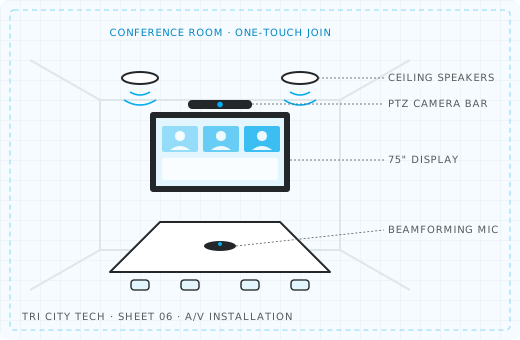
Wall-mounted displays sized and placed so everyone in the room can see clearly.
Displays, speakers and microphones planned, wired and configured so conference rooms and training rooms just work when the meeting starts.
Wall-mounted displays sized and placed so everyone in the room can see clearly.
Speakers and microphones chosen for the room's size and layout, so every voice comes through.
Cameras, audio and displays set up for the video meeting platform you already use.
Cables run in walls and conduit, with clean connections at the table.
Every space is different, so every project starts with a walkthrough. These are the situations we see most often.
We look at your space, existing equipment and goals, then scope what you actually need.
You get a clear, itemized quote showing exactly what's being installed and why.
Our technicians install with as little disruption to your day as possible.
We run a test meeting in the room, check audio and video from both ends, and show your team how to start a meeting.
Yes. We set up the room to work with the video meeting platform your team already uses.
Yes. Wireless screen sharing can be included so people don't need to hunt for the right cable.
Yes. We run cabling in walls and conduit wherever the building allows, for a clean finished room.
Yes. Larger training rooms and spaces with more people usually need more microphones and speakers, and we plan for that during the walkthrough.
Business phone systems with clear call quality and features like call routing, voicemail-to-email and mobile apps, installed on a network that's ready for them.
View voip phone systems ›Cat6 and Cat6A data runs, racks, patch panels and cable management for offices, shops and new builds.
View structured cabling ›Business Wi-Fi planned around your building.
View wireless access points ›Tell us what you're working with and we'll follow up with next steps.